
Cleaning and Disassembly
Remove the main controller, finger modules, index-finger joystick, wrist module, and all cables before washing the glove body or inspecting components. Record component positions and cable routing to support correct reassembly.
1. Prepare for Disassembly
- Use a clean, level, dry work surface with sufficient space.
- Power off the glove, exit the host or motion-capture application, and disconnect the computer, power supply, and external devices. Wait until operation stops completely; never disassemble while powered or transferring data.
- Photograph module positions, orientation, identifiers, the two index-finger modules, joystick position, cable routing, and strap installation.
2. Safety Requirements
- Handle only one module or cable section at a time.
- Hold module housings; never pull a module by its cable.
- Do not sharply bend, forcefully twist, or repeatedly flex a cable at its root.
- If a cable catches, inspect its route and retainers before removing it; never pull forcefully.
- Do not use sharp tools to pry modules, straps, or hook-and-loop fasteners, and do not open module or joystick housings.
- Place removed electronics securely to prevent drops and impact.
- The index finger contains two modules; remove both.
3. Disassembly Procedure
Step 1: Lay the Glove Flat
Place the glove back-side up. Spread its fingers and straps so all modules and cables are visible, and leave the cables naturally relaxed.
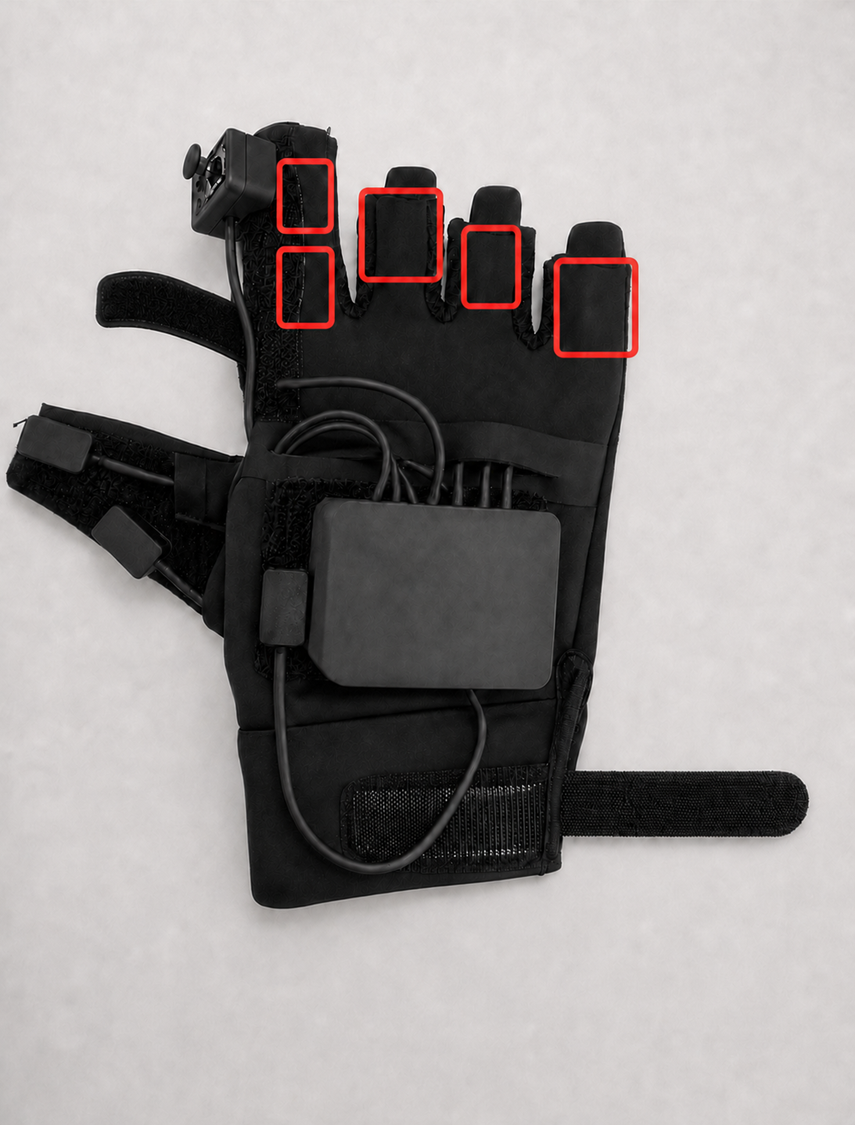
Step 2: Release the Wrist Strap
Slowly peel the wrist hook-and-loop fastener from its end and fully open the strap.
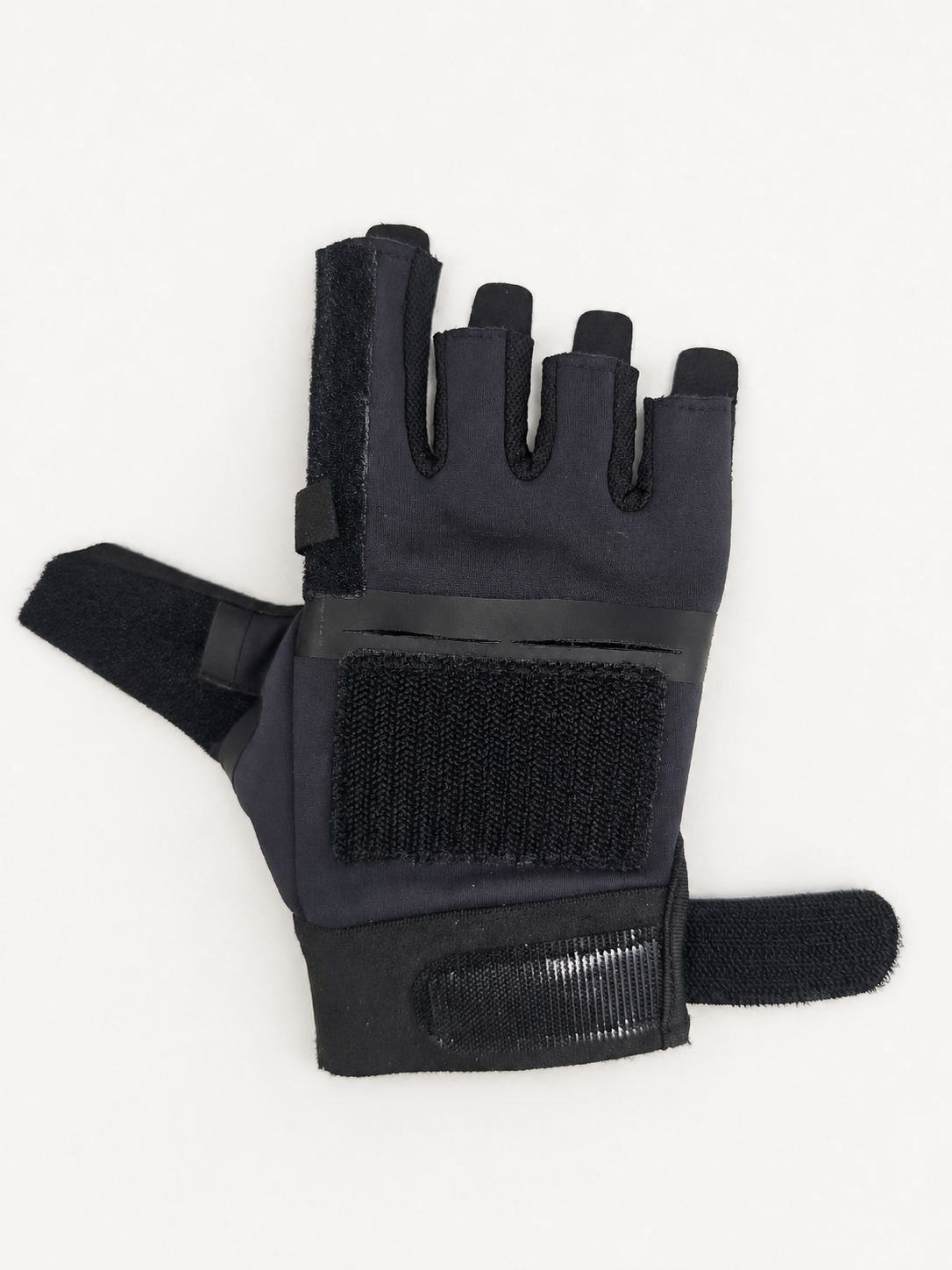
Step 3: Release the Index-finger Joystick Strap
Hold the index-finger fabric in place and slowly open the retaining strap in its attachment direction until the joystick is released.
Step 4: Separate All Electronic Components
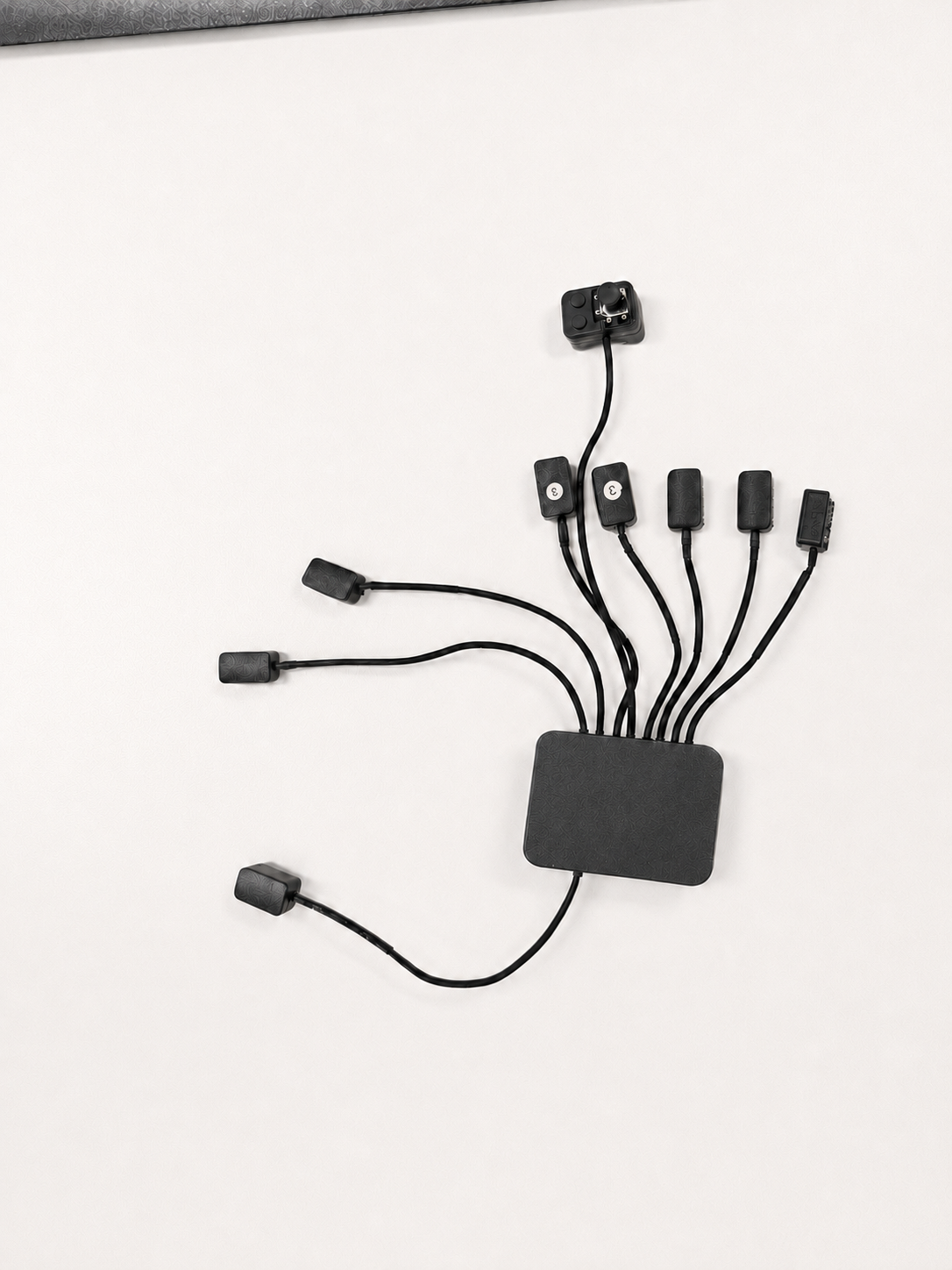
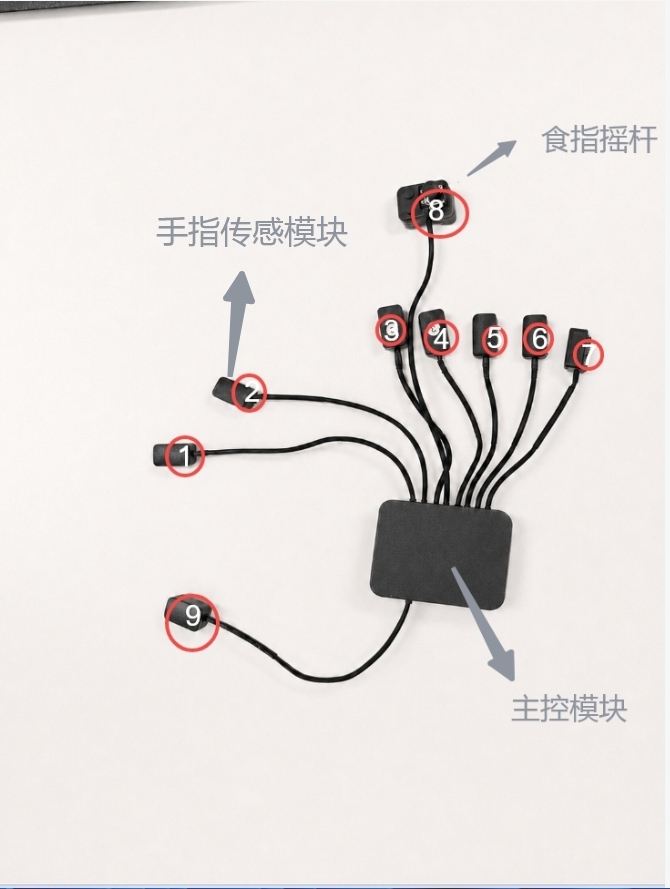
Remove the index-finger joystick, both internal index-finger modules, remaining finger modules, wrist module, main controller, and cables in order:
- Support each housing while removing it.
- Remove cables section by section along their original routes.
- Finally, gradually peel the main controller from its edge and place all components securely.
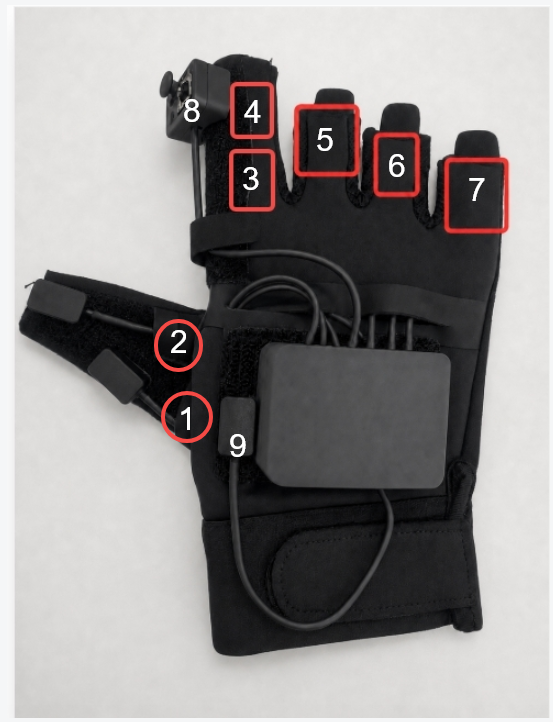
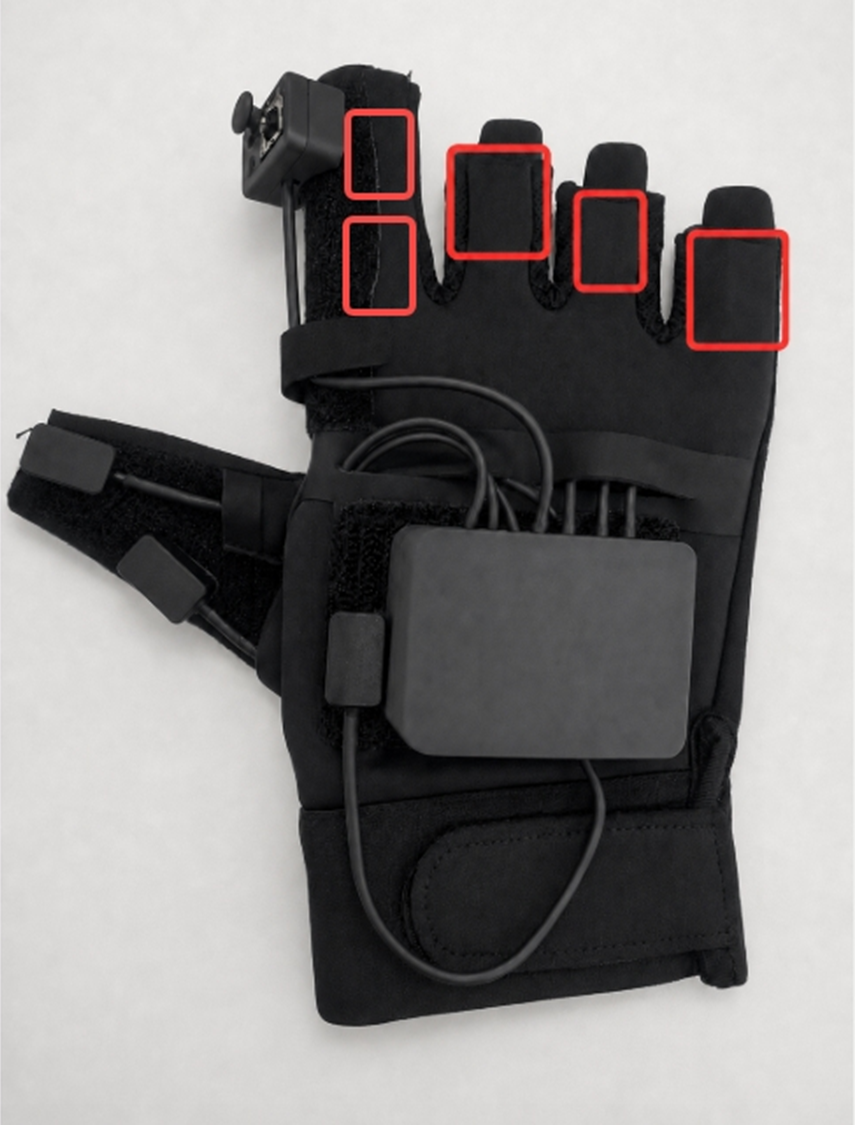
If the main controller is tightly secured, release it gradually from the edges; never pull it straight upward in one forceful motion.
Step 5: Inspect After Disassembly
Confirm that the main controller, joystick, two index-finger modules, other finger modules, wrist module, and all cables have been removed. Every cable must be out of its routing and retention features, with no electronics or cables remaining in the glove.
4. Washing and Care
Before washing, confirm that the controller, finger sensors, joystick, wrist module, and all cables are completely removed and that the fabric glove contains no electronics.
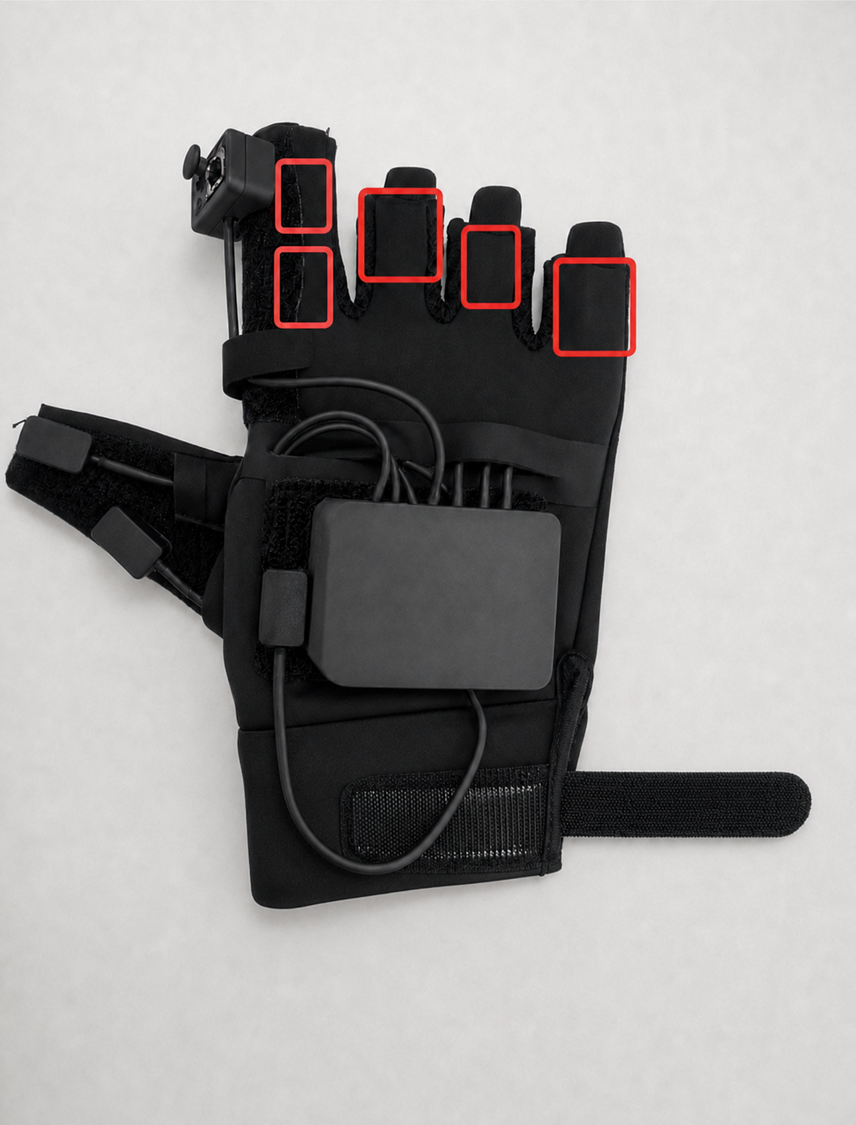
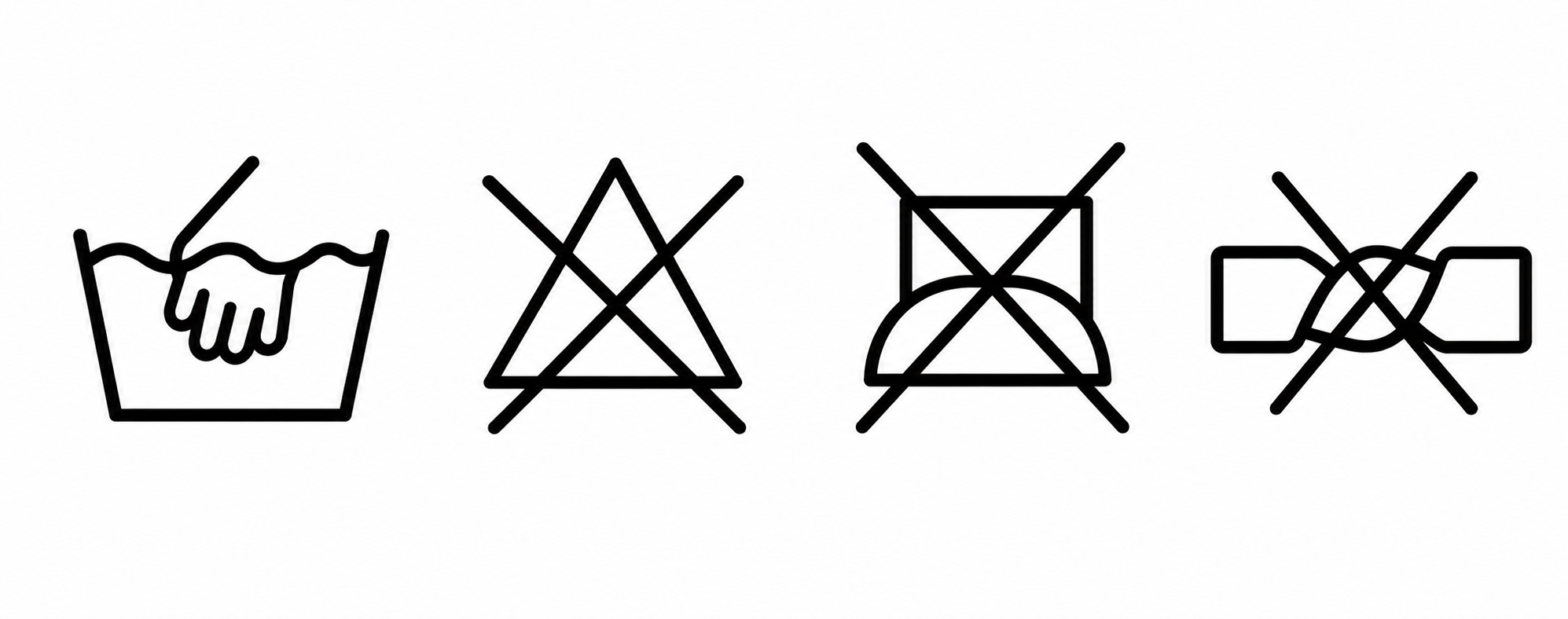
- The glove body is washable in water below 30°C.
- Hand-wash gently; avoid vigorous rubbing, wringing, and prolonged soaking.
- Gently press out excess water after washing. Do not twist dry.
- Air-dry naturally in a cool, ventilated area. Do not expose it to direct sunlight.
- Do not use a dryer or other heating equipment, and do not iron.
Electronic modules and cables must not be washed, soaked, or exposed to liquid.
5. Reassembly and Acceptance
Wait until the glove is completely dry before restoring sensors, the main controller, and cables according to the disassembly record. Do not power on or use a glove that is not fully dry.
After reassembly, verify that every module and the joystick are in their original positions; cables are not exposed, pinched, sharply bent, or crossed; and fist, spread, and flex motions feel natural. After power-on, confirm that zero-bias calibration, connection, and motion calibration all complete normally.