Firmware Upgrade Procedure
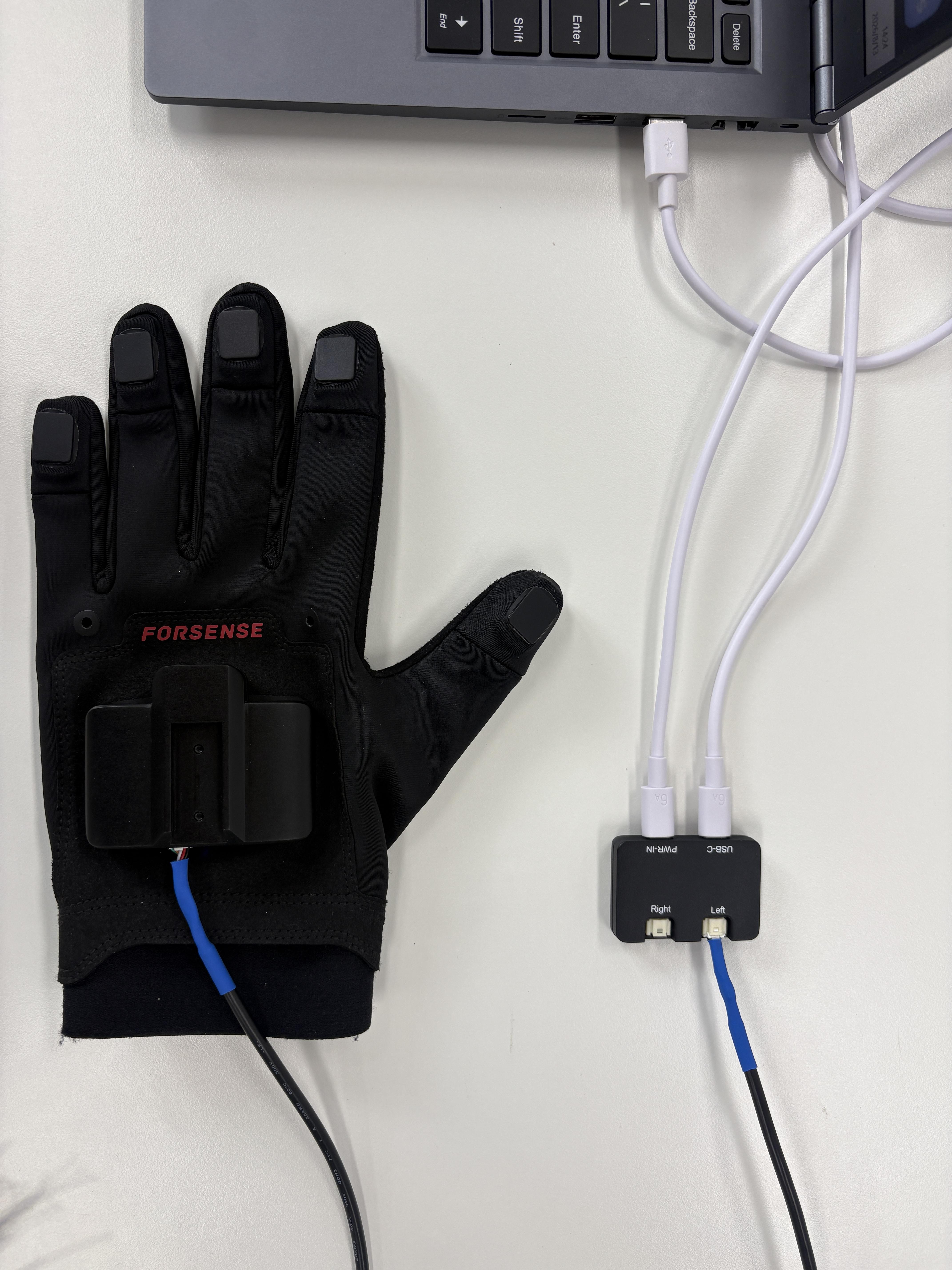
Use the host application to perform upgrades. Keep the glove, Hub, and computer connected throughout the process. Do not disconnect USB or power, and do not run other software that occupies the serial port.
Current firmware:
- Main controller: G7主控板251459.firmware
- Fingertip module: 指尖模块661092_26.10.08.firmware
Update: Modified the LED logic and optimized some content.
Glove Firmware Upgrade
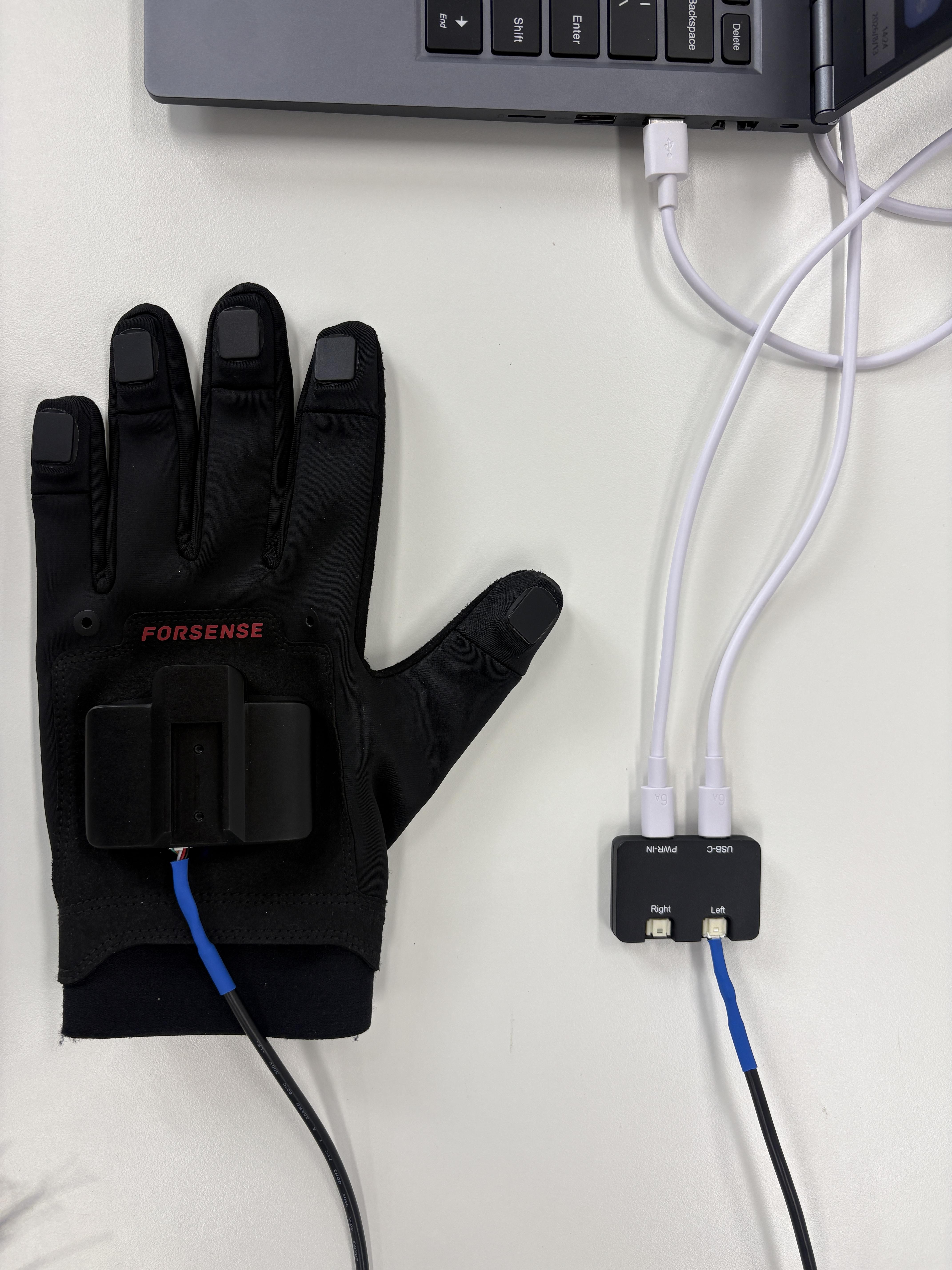
- Connect the glove to the Hub, then connect the Hub to the computer.
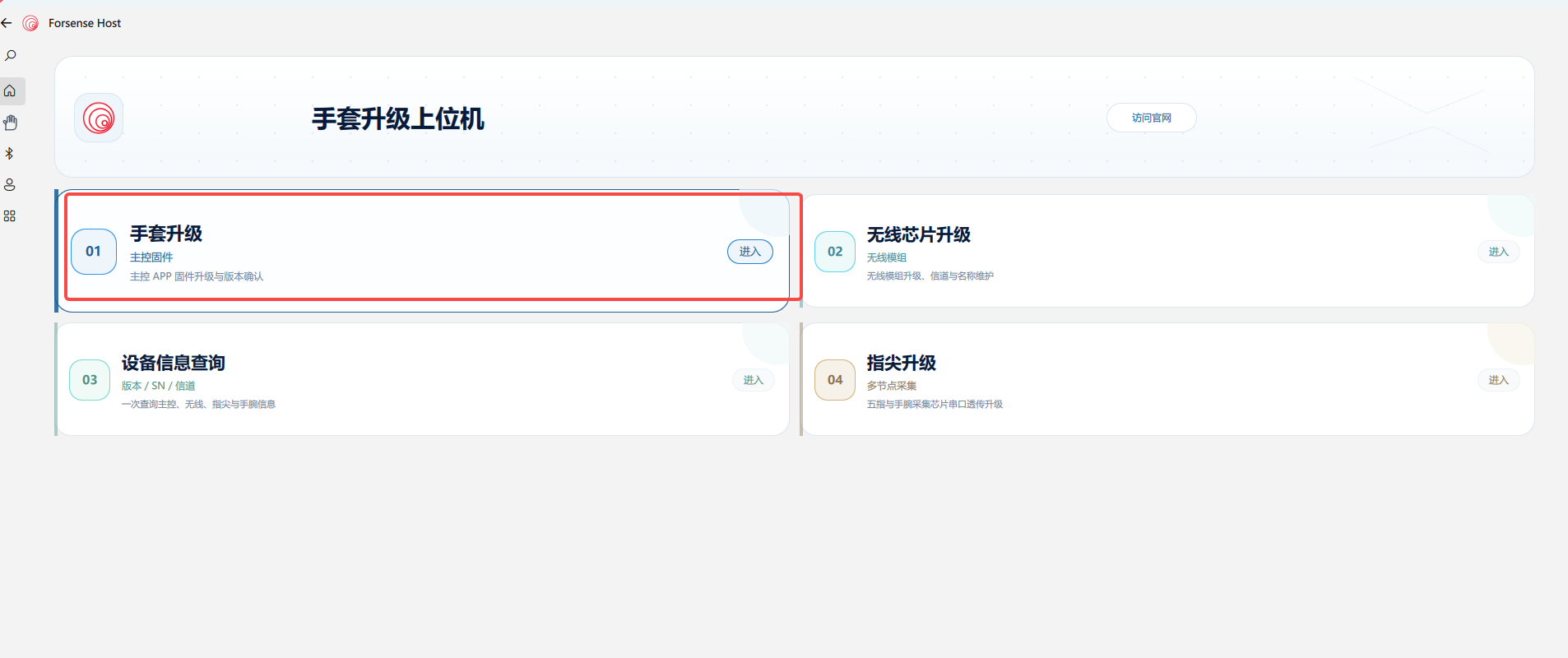
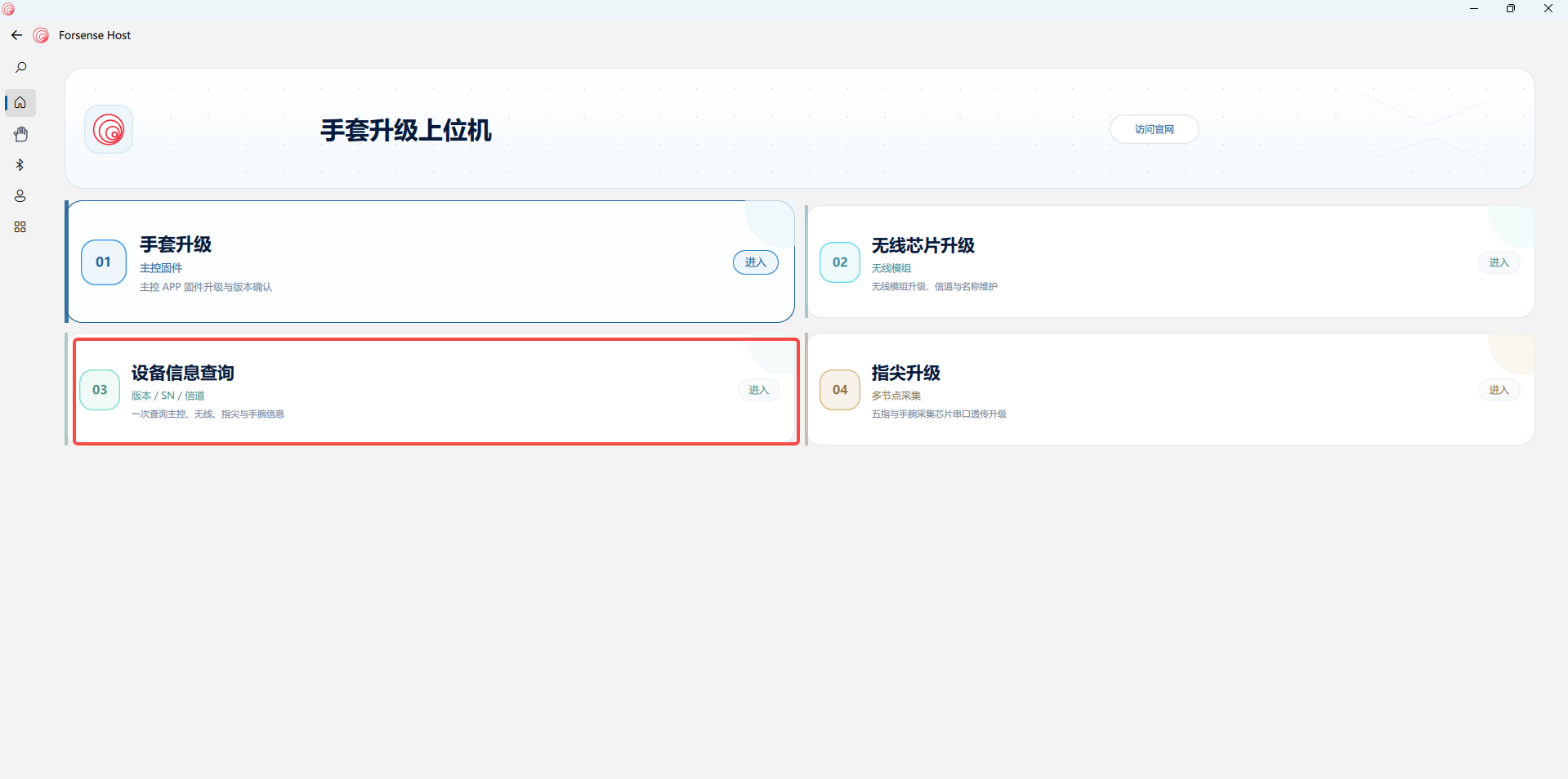
- On the host application home page, locate and open Glove Upgrade.
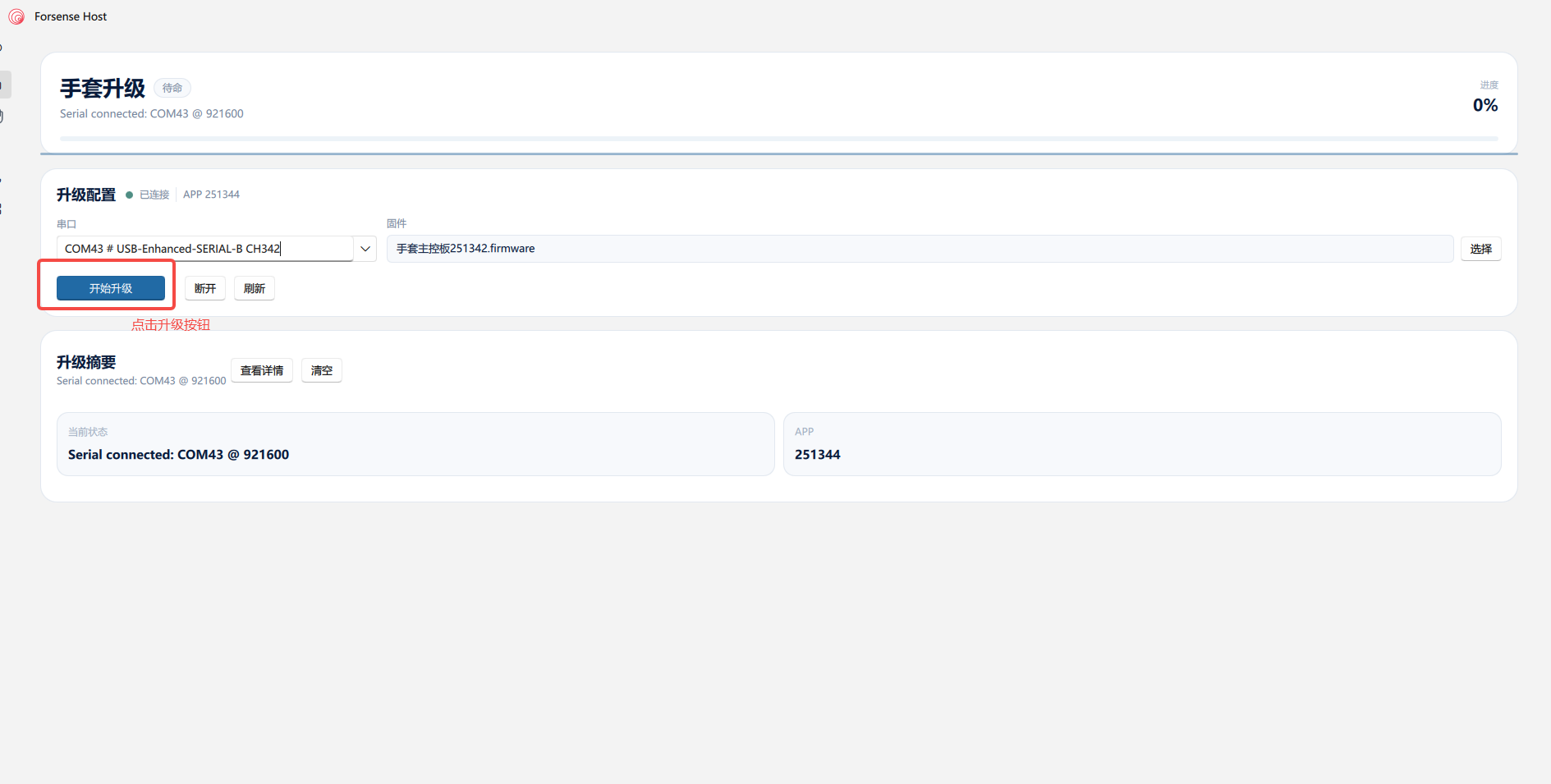
- Refresh the port list, select the serial port, and connect.
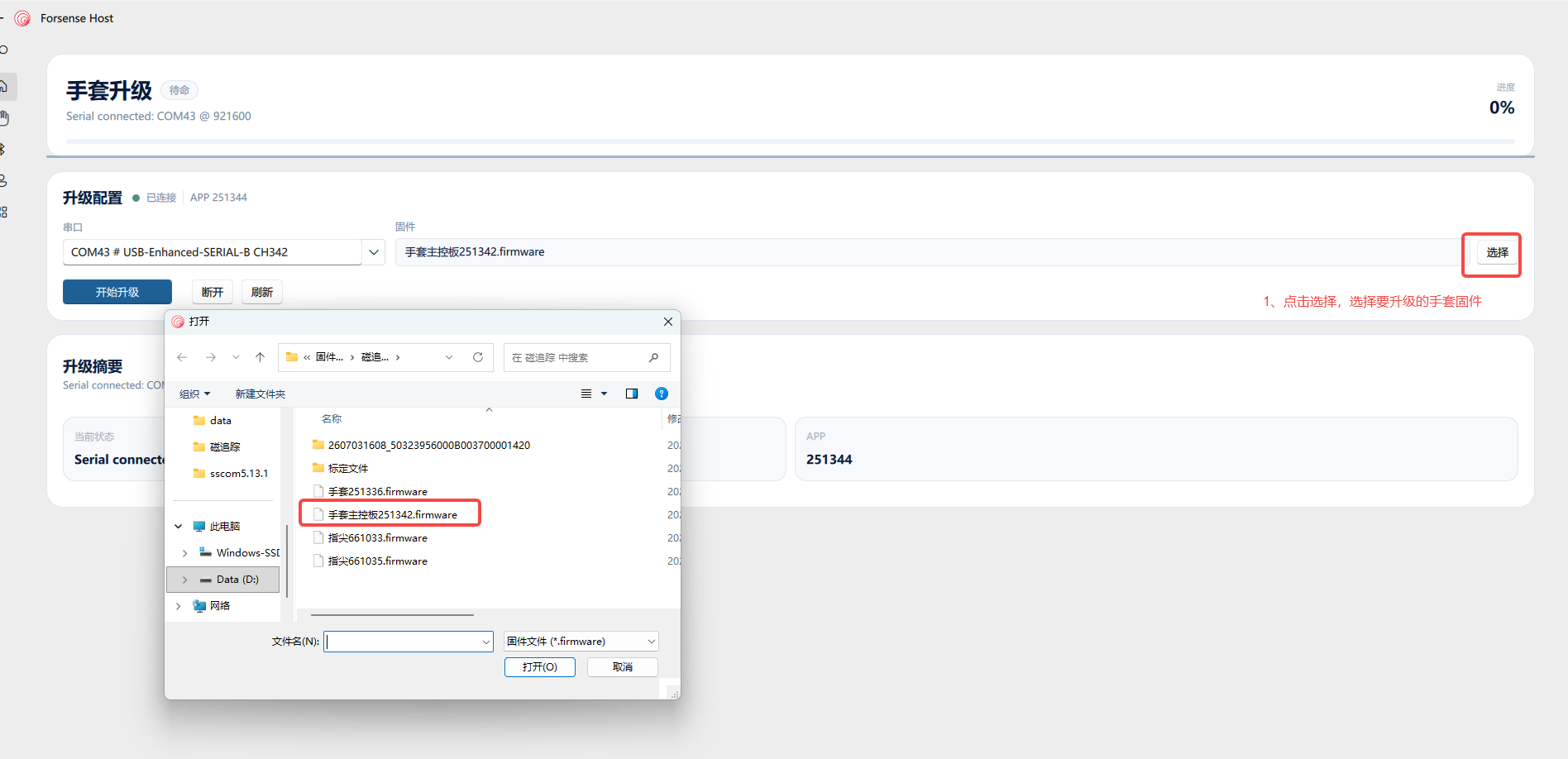
- Select the glove firmware, then start the upgrade.
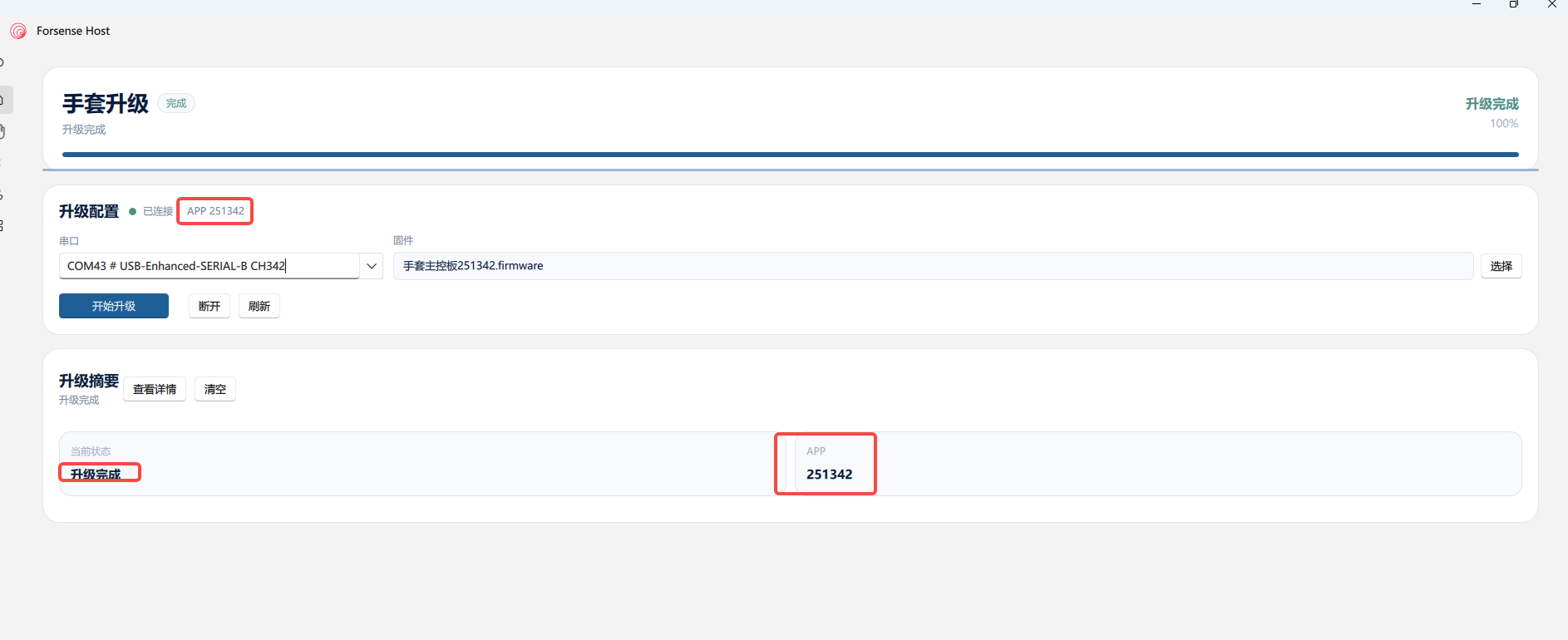
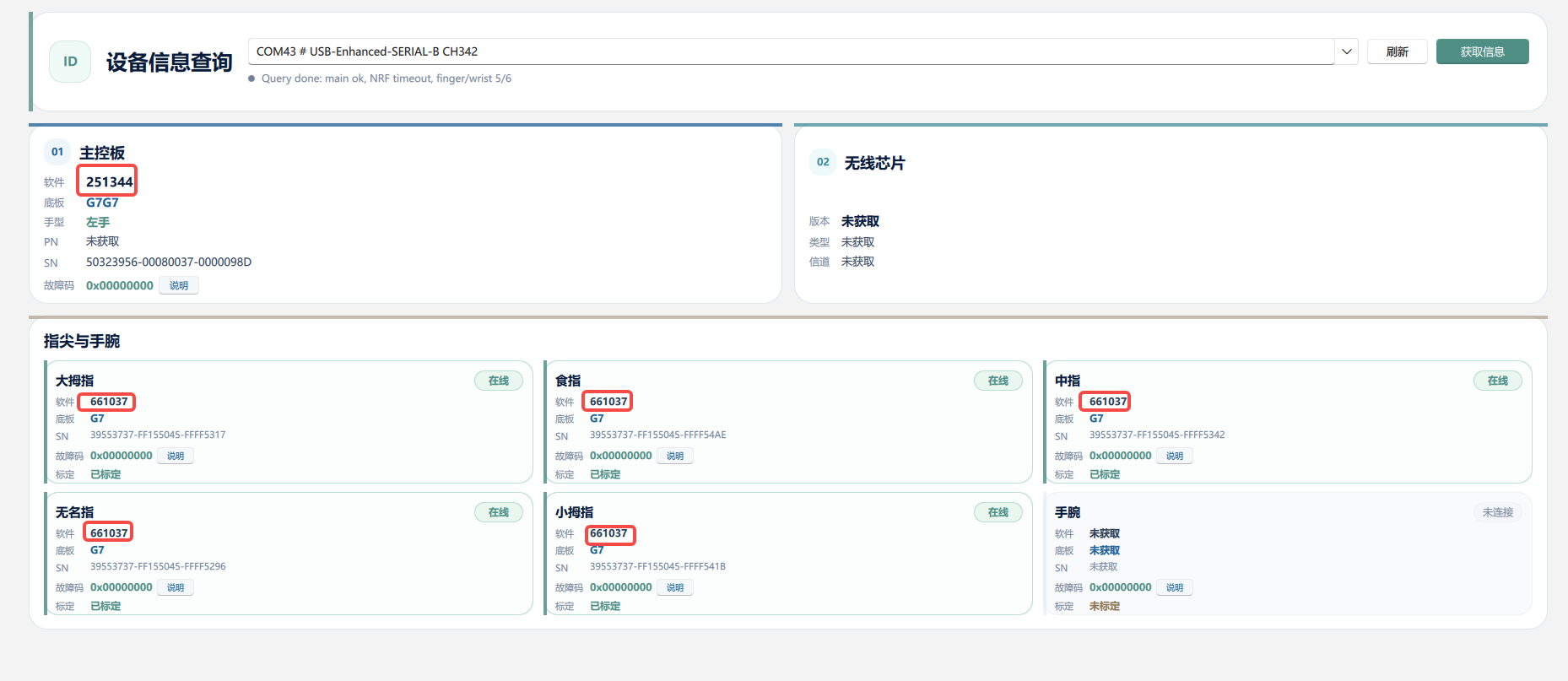
- After the upgrade succeeds, confirm the firmware version.
Fingertip-Module Firmware Upgrade
- Connect the glove to the Hub, then connect the Hub to the computer.
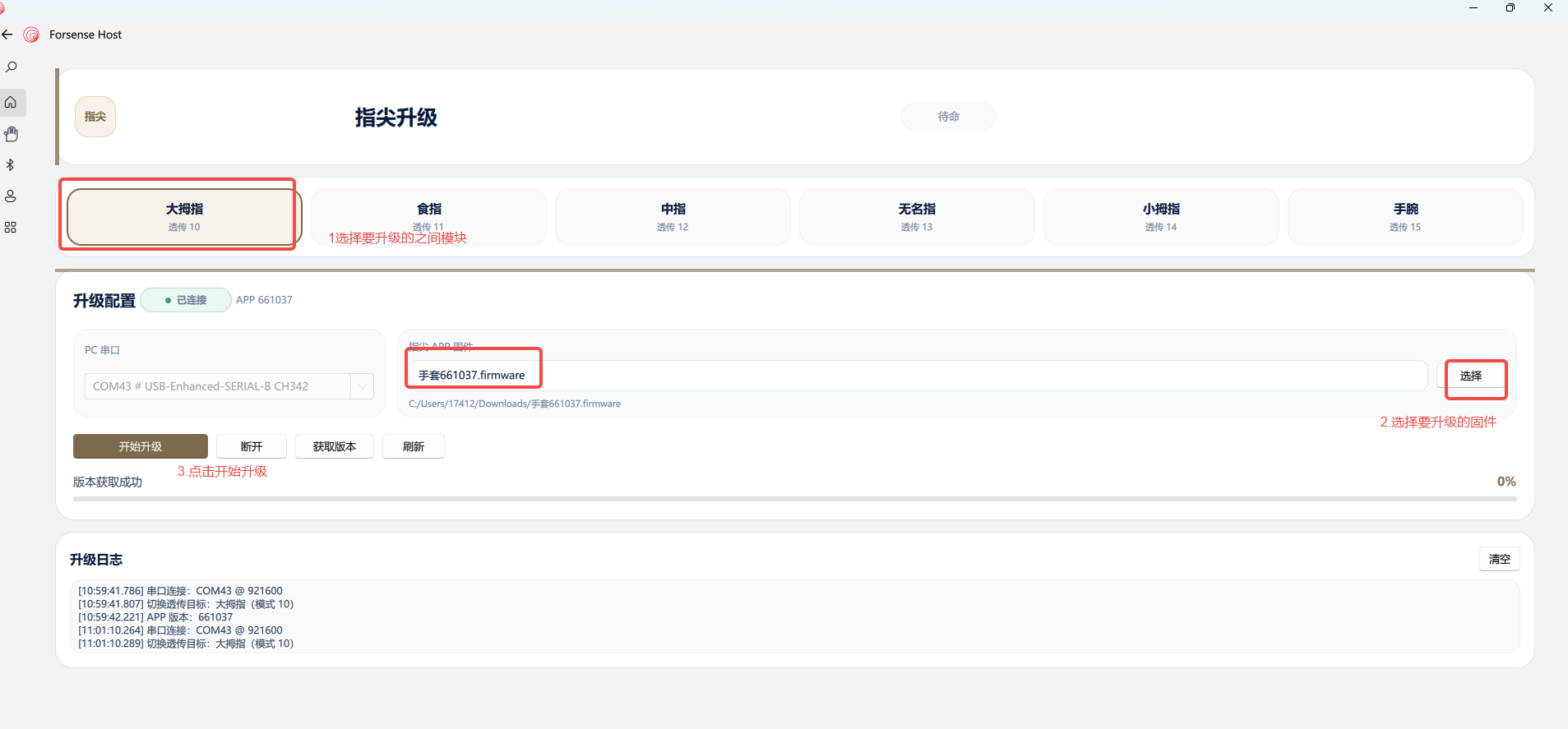
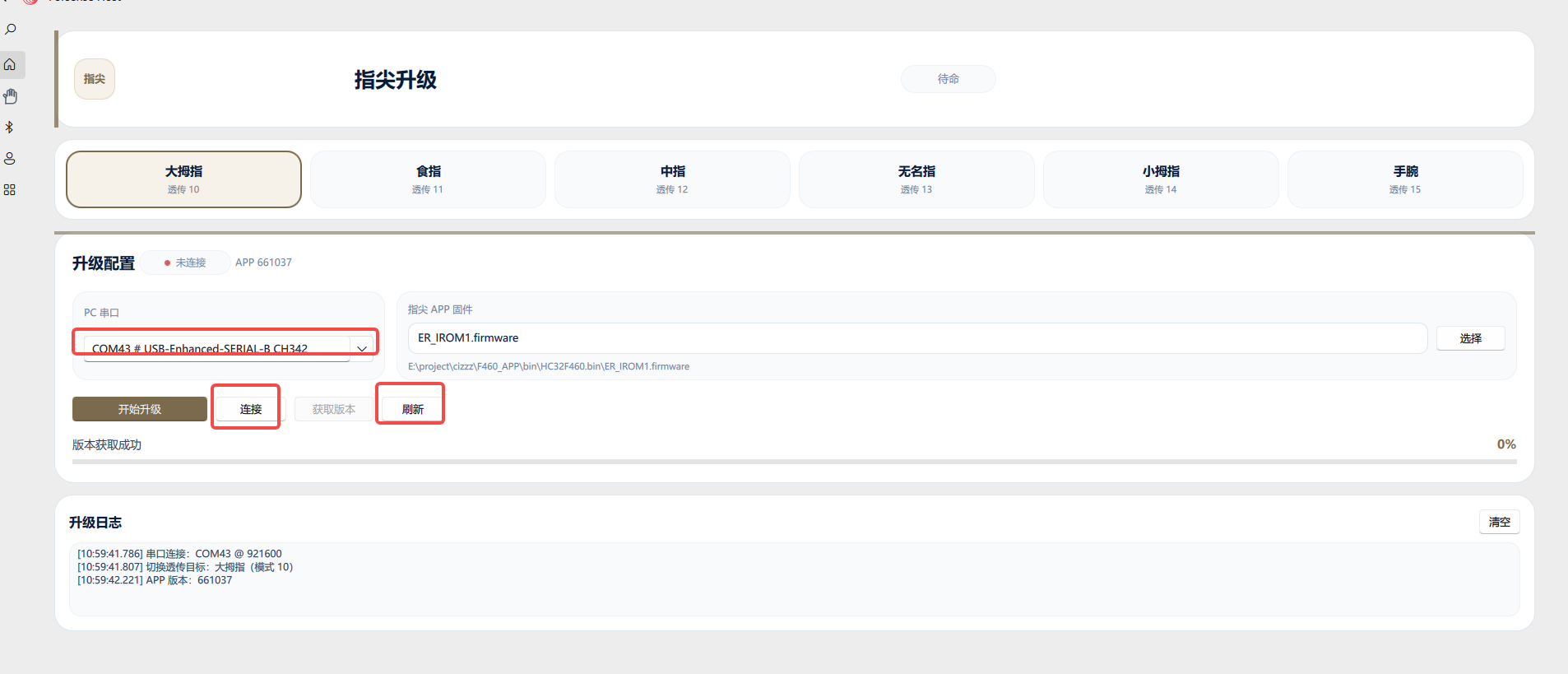
- On the host application home page, locate and open Fingertip Upgrade.
- Refresh the port list, select the serial port, and connect.
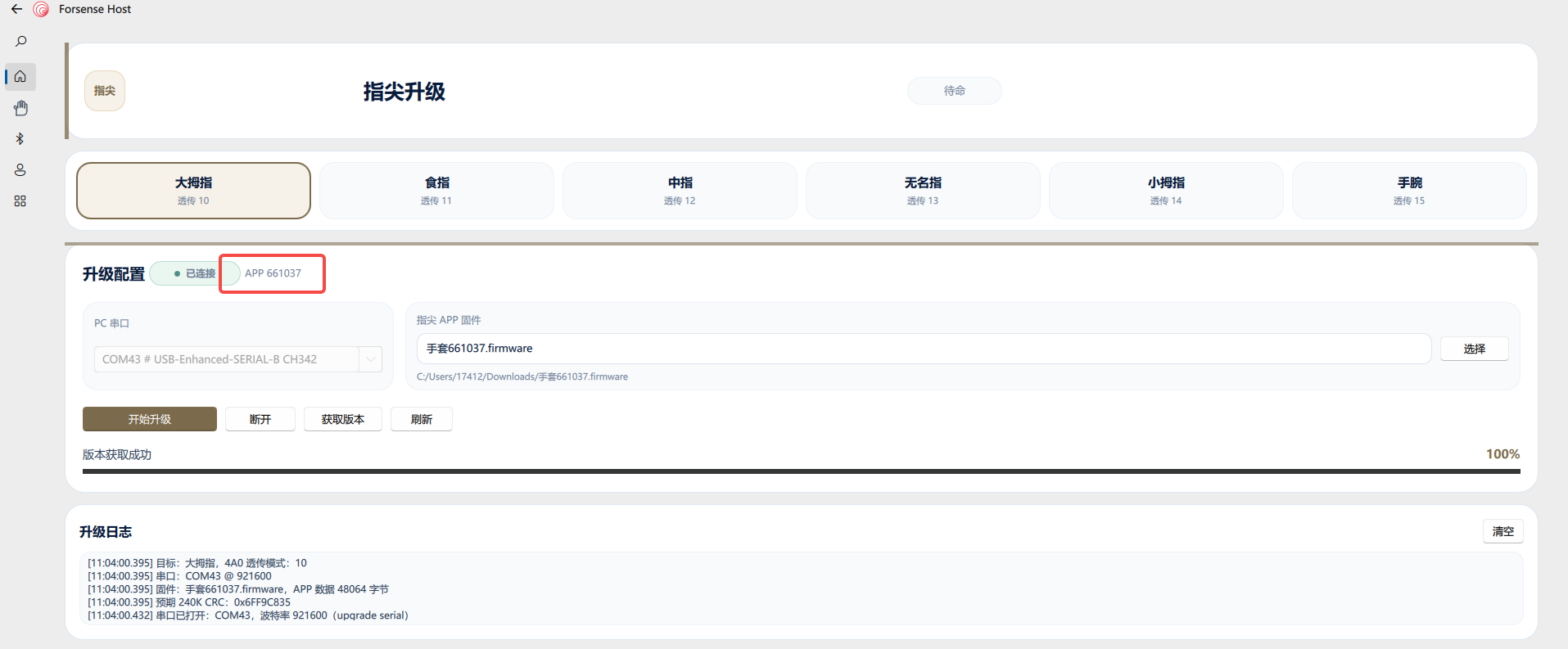
- Select the fingertip module to upgrade, such as the thumb; select its matching firmware and start the upgrade. Repeat the same process for every other finger.
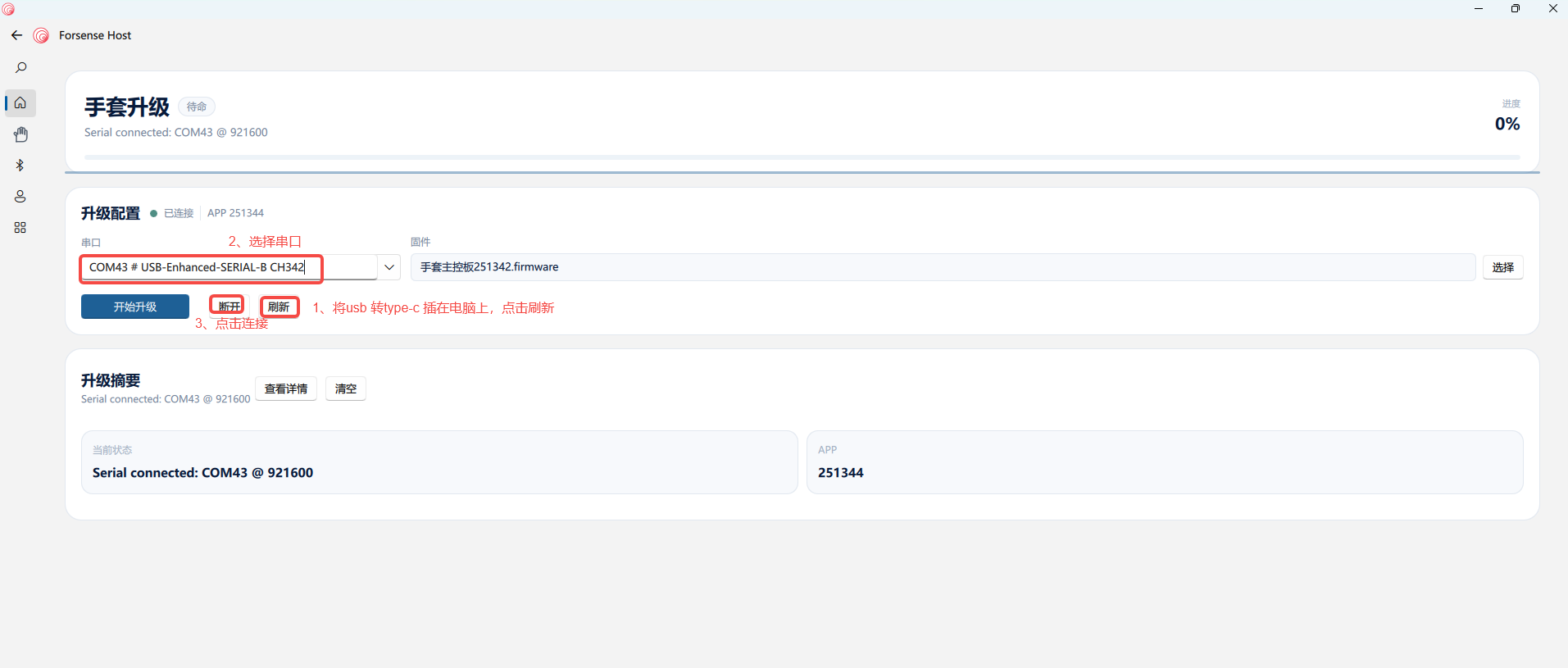
- After the upgrade finishes, connect again and check the application version.
Final Verification
After all glove and fingertip modules are upgraded, verify again that none were missed.
- On the host application home page, locate and open Device Information Query.
- Refresh the port list, select the applicable serial port, retrieve the device information, and verify that the controller and every fingertip module were upgraded successfully.