
Firmware Upgrade
The delivery package includes 惯性手套升级上位机 (1).exe and v300537.firmware. Use a USB-C data cable; do not use a Bluetooth virtual serial port.
Upgrade Procedure
- Close the teleoperation application, power on the glove, and connect it to the computer over USB-C.
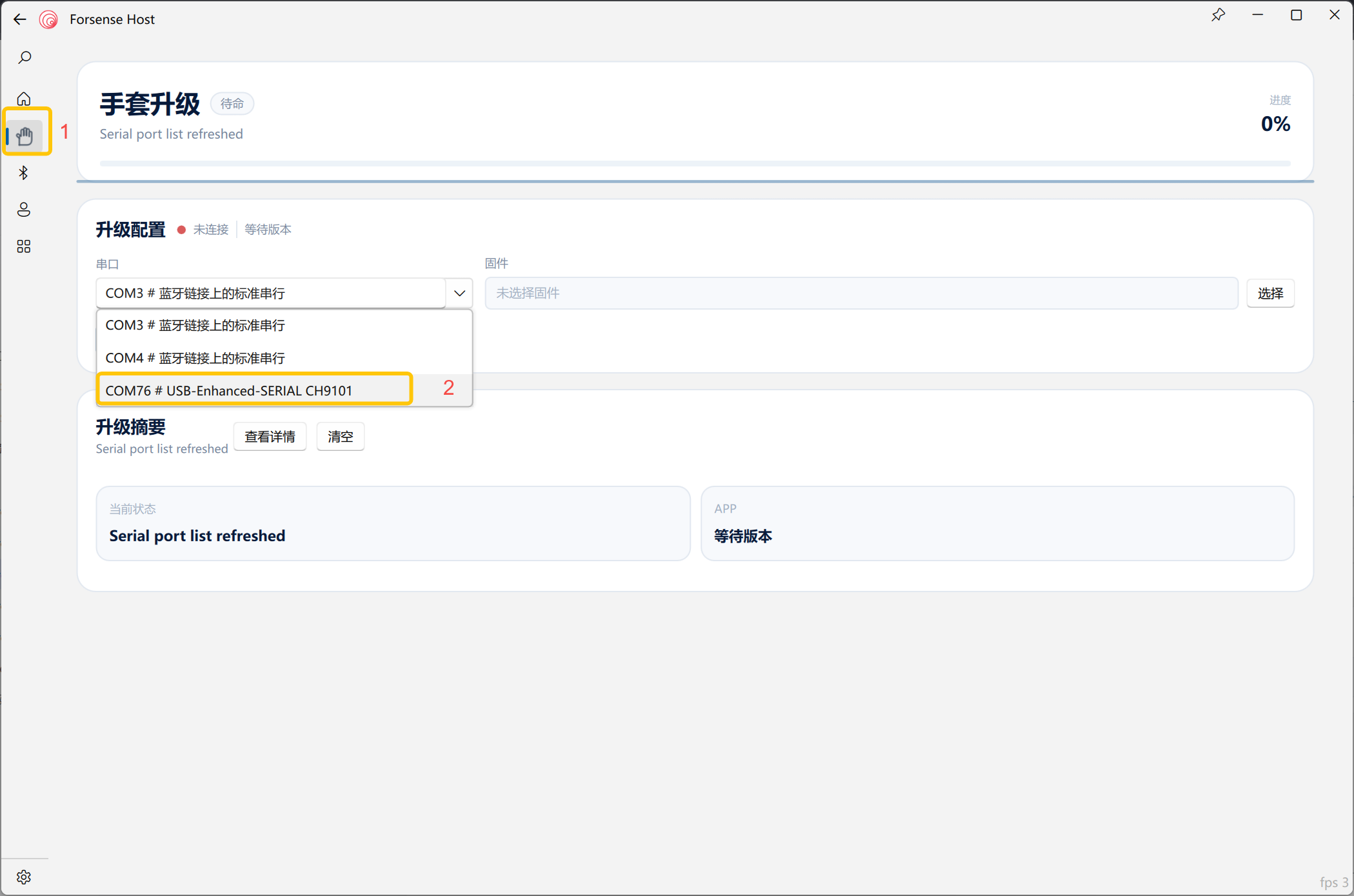
- Open the upgrade host application and enter the Glove Upgrade page.
- Select the glove USB serial port. Do not select a port labelled as a Bluetooth standard serial link.
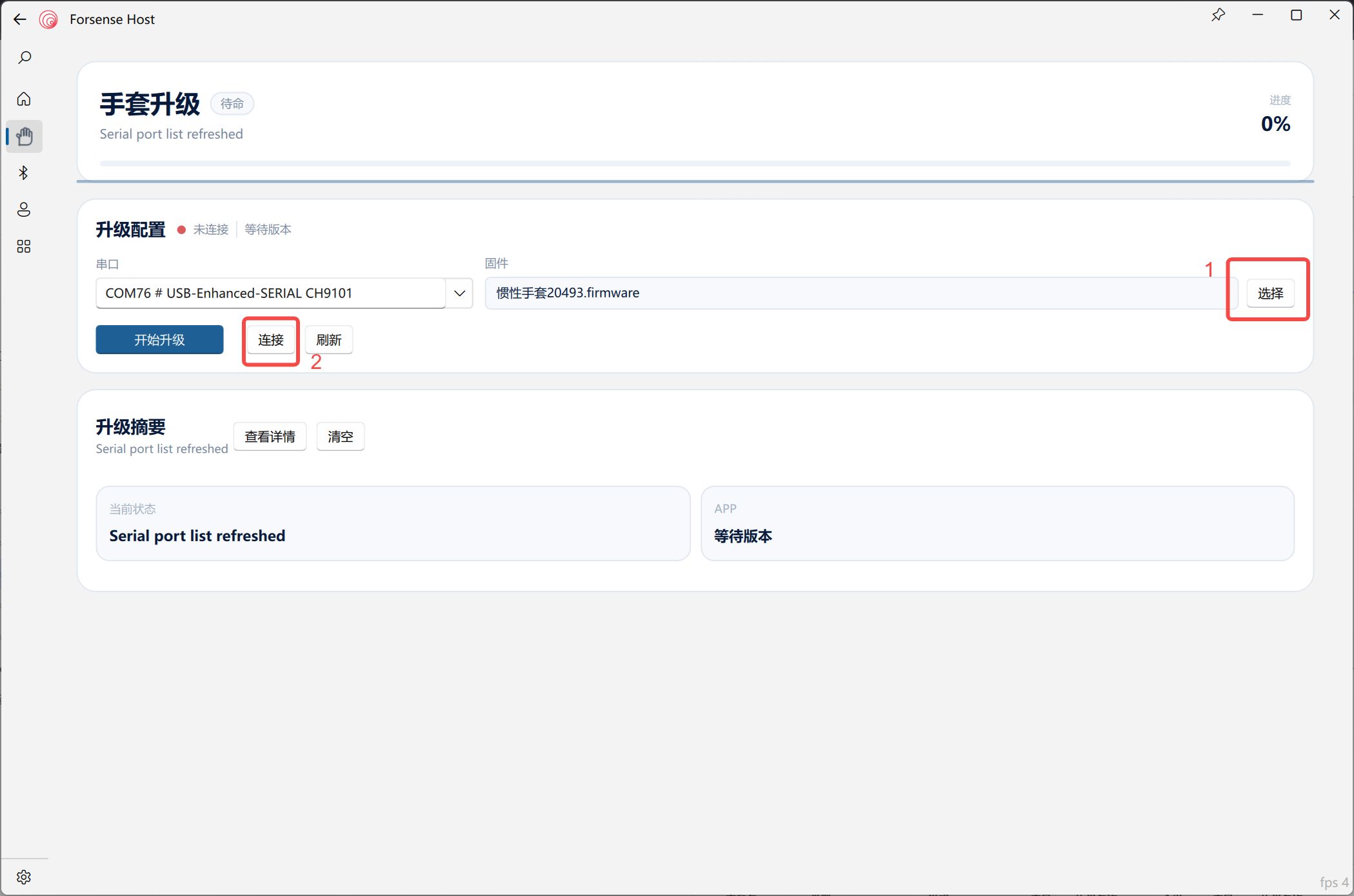
- Select the target
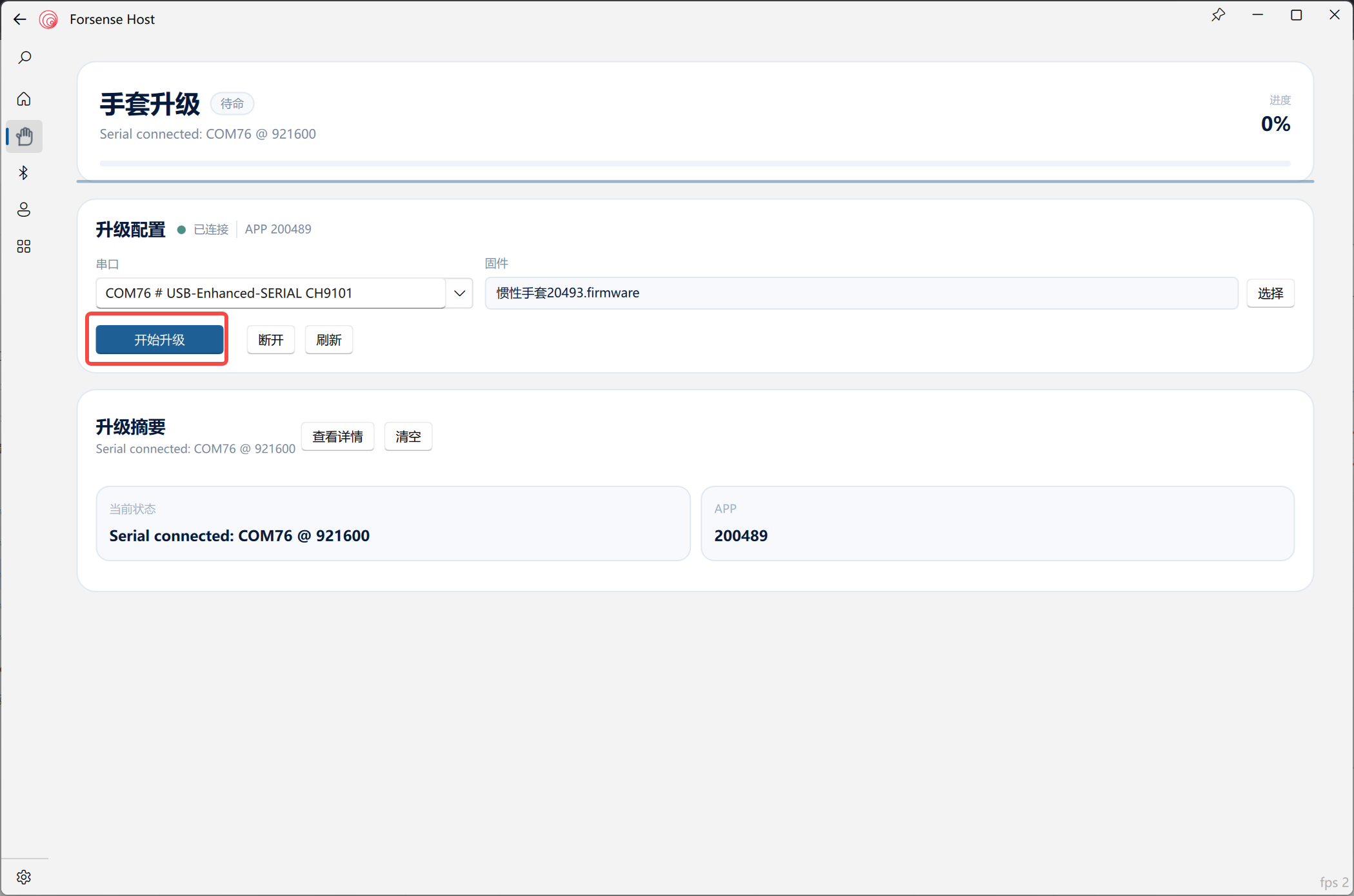
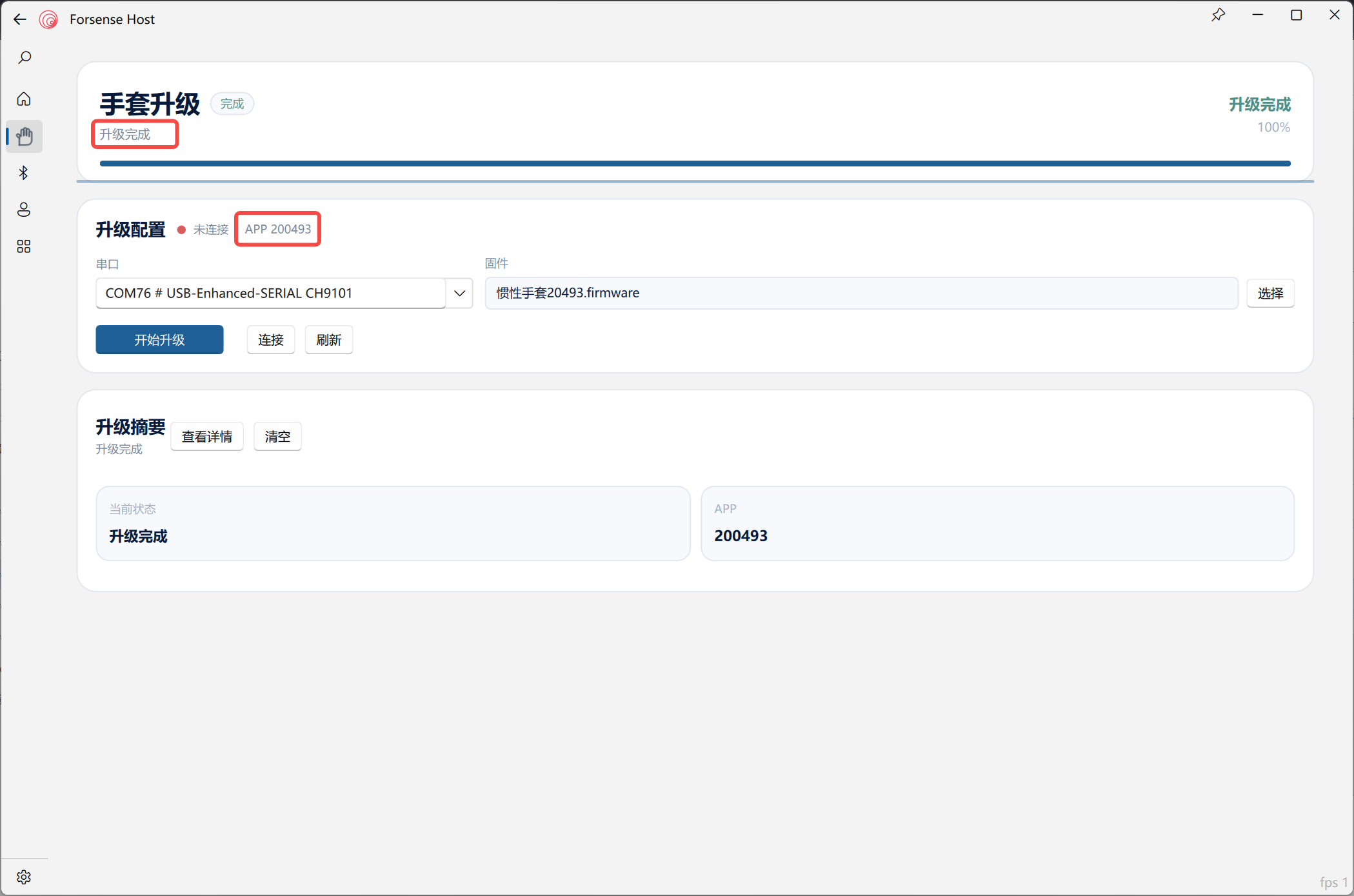
.firmwarefile. - Confirm the device is connected, start the upgrade, and keep both power and cabling stable until completion.
After the Upgrade
Restart the glove, reconnect the teleoperation application, repeat zero-bias and four-action calibration, then confirm that the avatar hand motion matches the physical glove. If the USB port is not recognized, progress stalls, or versions do not match, stop and keep the serial-port, firmware-file, and error details for technical support. Never unplug or power off during an upgrade.